How to Choose the Right Genesis G70 Brake Pads in 2026
If you own a Genesis G70, keeping the braking system in top condition is essential for safety and performance. This guide walks you through everything you need to know about Genesis G70 brake pads, from selecting the right compound to installing them correctly.
Understanding the Genesis G70 brake system
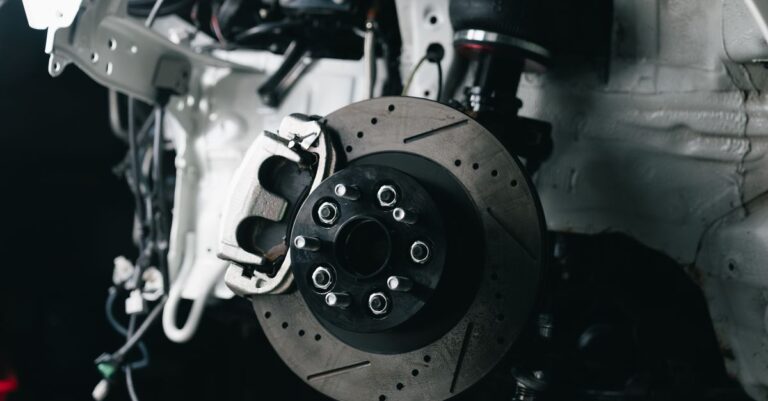
The G70 uses a four‑wheel disc brake layout with ventilated rotors up front and solid rotors in the rear. The calipers are of the floating‑piston type, which means the pads press against the rotor from both sides. Knowing how the system works helps you diagnose wear patterns and choose pads that match your driving style.
Why brake pad choice matters
Brake pads are the friction element that converts kinetic energy into heat. A poor choice can lead to reduced stopping distance, excessive rotor wear, or noisy operation. For daily drivers, a balanced organic or low‑metallic pad offers smooth feel and low dust. Performance‑oriented owners may prefer a ceramic or sintered compound for higher bite and fade resistance.
How to Choose the Right Genesis G70 Brake Pads
When shopping for pads, keep these criteria in mind:
- Friction rating: Look for a rating that matches or exceeds the OEM specification.
- Noise level: Ceramic pads tend to be quieter than metallic blends.
- Dust production: Low‑dust formulations keep wheels cleaner.
- Temperature tolerance: If you tow or track, select a high‑temperature compound.
- Fitment: Verify the part number aligns with your model year and trim.
Many reputable aftermarket brands offer pads that meet these standards while staying within a reasonable budget. Compare the warranty and any performance certifications before buying.
Installation step‑by‑step guide
Replacing Genesis G70 brake pads is a straightforward job for anyone with basic tools. Follow these steps to ensure a safe install.
- Gather tools: Jack, jack stands, lug wrench, C‑clamp or brake piston tool, torque wrench, and a clean rag.
- Secure the vehicle: Park on a level surface, engage the parking brake, and place wheel chocks behind the opposite wheels.
- Remove the wheel: Loosen lug nuts, lift the car, and remove the wheel to expose the brake assembly.
- Detach the caliper: Unbolt the caliper mounting bolts and swing the caliper aside. Support it with a zip tie; do not let it hang from the brake hose.
- Extract old pads: Slide the worn pads out of the caliper bracket. Note the orientation for the new set.
- Compress the piston: Use a C‑clamp or piston tool to gently push the caliper piston back into its bore. This creates clearance for the thicker new pads.
- Install new pads: Place the Genesis G70 brake pads into the bracket, ensuring the shims (if supplied) are correctly positioned.
- Re‑mount the caliper: Align the caliper over the new pads, reinstall the mounting bolts, and torque them to the manufacturer’s specification (usually around 30 Nm).
- Repeat on the opposite side: Perform the same procedure on the other wheel.
- Re‑install wheels: Put the wheels back, hand‑tighten the lug nuts, lower the car, and torque the lug nuts to the correct value (about 100 Nm).
- Bed‑in the pads: Follow a gentle stop‑and‑go routine for the first 200 km to transfer an even layer of material onto the rotors.
Throughout the process, keep the brake components clean and avoid contaminating the pad surface with oil or grease.
Maintenance tips and common mistakes
Even the best pads will wear faster if the system isn’t maintained properly. Here are some practical tips:
- Check pad thickness every 10,000 km or sooner if you hear squealing.
- Inspect rotors for scoring, cracks, or excessive run‑out; replace or resurface as needed.
- Flush and replace brake fluid every two years to prevent moisture buildup.
- Torque all hardware to spec after any brake service.
Common pitfalls to avoid include:
- Using the wrong pad thickness, which can alter pedal feel.
- Re‑using worn hardware such as pins or shims.
- Neglecting to compress the piston fully, leading to uneven pad wear.
- Skipping the bedding procedure, which can cause glazing.
OEM vs aftermarket brake pads: A quick comparison
| Feature | OEM (Original Equipment) | Aftermarket |
|---|---|---|
| Cost | Higher | Lower to moderate |
| Fitment | Exact match | Usually identical, verify part number |
| Performance | Balanced for daily use | Varies: performance, low‑dust, quiet options |
| Warranty | OEM limited | Often longer, up to 30 k miles |
| Availability | Dealerships only | Online retailers, auto parts stores |
For most Genesis G70 owners, a quality aftermarket set provides the same fitment and safety as OEM while offering better value and tailored performance. Choose a brand with a solid reputation and a warranty that backs the product.
Frequently asked questions
Q: How often should I replace Genesis G70 brake pads?
A: Replace them when the friction material is 3 mm or less, or when you notice squeal or reduced braking efficiency.
Q: Can I mix OEM and aftermarket pads?
A: It’s best to use the same type on both wheels of an axle to maintain even braking.
Q: Do I need new rotors when I change pads?
A: Not always. If the rotors are within wear limits (usually 0.1 mm thickness remaining) and free of deep scoring, they can be reused.
Q: What is the ideal break‑in procedure?
A: Perform 5–6 moderate stops from 60 km/h to 30 km/h, then let the brakes cool for a few minutes. Repeat a second time.
Q: Are ceramic pads safe for winter driving?
A: Yes, but they may produce a slightly longer pedal travel in very cold conditions. Choose a low‑metallic pad if you prefer a firmer feel.
Ready to replace your Genesis G70 brake pads?
When the time comes, select a set that matches your driving needs and budget. Quality aftermarket options from trusted manufacturers are readily available at Driven2Parts. Pair new pads with fresh brake fluid for the best results and enjoy confident stopping power every time you hit the road.
For more technical details on brake system safety standards, visit the NHTSA website.